

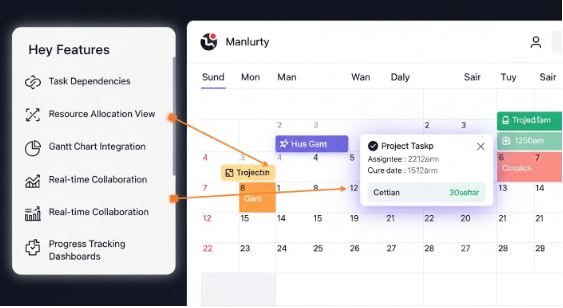
Project management is all about planning, coordination, and communication. When multiple people are involved, keeping track of tasks and deadlines can be challenging. This is where a digital calendar becomes essential. A powerful digital calendar not only organizes schedules but also helps teams stay aligned and productive throughout every phase of a project.
Among the best tools available today, the Skylight Calendar stands out for its elegant design, smart integrations, and ability to simplify complex workflows. In this article, we will explore the most valuable digital calendar features that can drive project management success and how the Skylight Calendar, combined with the Skylight Frame, can enhance team collaboration and productivity.
Why Digital Calendars Matter in Project Management
A digital calendar is more than a timekeeping tool. It is a dynamic project management companion that keeps everyone on the same page. Whether you are managing a remote team or working in an office, digital calendars streamline scheduling, communication, and accountability.
Here is why professionals rely on digital calendars like the Skylight Calendar:
- Centralized Organization: All meetings, tasks, and milestones appear in one easy-to-read interface.
- Team Collaboration: Shared access ensures every member knows deadlines and priorities.
- Real-Time Updates: Automatic syncing across devices prevents miscommunication.
- Integration Power: Connects seamlessly with tools such as Google Calendar, Outlook, and Apple Calendar.
- Visual Clarity: Color-coded schedules make complex projects easier to understand.
1. Task and Deadline Management
Every successful project starts with clear task allocation and timely completion. A digital calendar allows project managers to assign tasks, set deadlines, and add reminders.
The Skylight Calendar enhances this experience by displaying all upcoming tasks on a bright touchscreen interface. Team members can quickly check what is due and stay ahead of schedule. Managers can use the Skylight mobile app to update events or assign new deadlines, ensuring everyone remains informed in real time.
2. Shared Team Calendars
Collaboration is the backbone of project success. With shared digital calendars, all team members can access and edit events relevant to their roles.
Using the Skylight Calendar, teams can create separate views for different projects or departments. For example, a marketing team can view campaign deadlines while developers focus on release dates. The shared display ensures no one misses a meeting or milestone, making coordination smoother and more transparent.
3. Seamless Integration with Productivity Tools
One of the most powerful features of a modern digital calendar is integration. When your calendar connects to other productivity tools, your workflow becomes more efficient.
The Skylight Calendar integrates easily with Google Calendar, Outlook, and Apple Calendar, pulling all your events into one unified timeline. You can view personal, work, and project calendars side by side without switching between apps. This integration saves time and eliminates the risk of overlapping commitments.
4. Real-Time Notifications and Smart Reminders
Timely notifications prevent projects from falling behind. With a digital calendar, you can set alerts for meetings, deadlines, and review sessions.
The Skylight Calendar offers real-time reminders that appear directly on the device’s screen and in the companion app. Whether you are in the office or working remotely, you receive updates instantly. This helps maintain accountability across all project contributors.
5. Color-Coded Scheduling
Visual clarity improves efficiency. By using color-coded events, teams can instantly distinguish between project types, departments, or deadlines.
The Skylight Calendar supports easy color customization, allowing managers to categorize tasks. For instance, design tasks could be marked in blue, development in green, and client reviews in orange. These visual distinctions make it easier to grasp workload distribution at a glance.
6. Flexible Calendar Views
A good project manager needs multiple perspectives. Whether you want to see today’s tasks or the entire month’s milestones, flexibility matters.
The Skylight Calendar allows you to switch between daily, weekly, and monthly views effortlessly. This helps you plan short-term sprints, review upcoming deliverables, or map out the full project lifecycle. With its large, easy-to-read display, the Skylight Calendar provides a clear view of your entire project schedule.
7. Role-Based Access and Permissions
In large projects, not everyone needs the same level of access. A digital calendar that offers role-based permissions helps maintain order and security.
The Skylight Calendar enables shared access through individual accounts. Managers can edit or create events, while team members can view or mark their assigned tasks. This ensures collaboration without compromising sensitive information.
8. Integration with Communication Platforms
Communication is key in project management. A well-designed digital calendar integrates directly with messaging and video tools.
By connecting your Skylight Calendar to platforms like Zoom or Microsoft Teams (via synced calendars), meetings can be scheduled automatically. The meeting links appear on the calendar, eliminating confusion about where or when to join. This integration simplifies team communication and saves valuable time.
9. Performance Tracking and Analytics
Some digital calendars include analytics and time-tracking tools that help managers understand how time is spent.
While the Skylight Calendar focuses on visual simplicity, it can still support performance insights when integrated with external analytics tools. This allows you to evaluate productivity trends, identify bottlenecks, and adjust timelines for better efficiency.
10. Accessibility Across Devices
Mobility is essential for modern project management. A digital calendar that syncs across smartphones, tablets, and desktops ensures everyone can stay connected.
The Skylight Calendar supports synchronization through its companion app, so updates made on your phone instantly appear on the wall display. Whether you are working from home, in a meeting, or traveling, your schedule remains accessible and accurate.
Bonus: Using Skylight Frame Alongside Skylight Calendar
The Skylight Frame complements the Skylight Calendar beautifully. While the calendar manages your tasks and projects, the frame brings a personal touch to your workspace by displaying your favorite photos or motivational images.
Many teams place a Skylight Frame beside their Skylight Calendar in the office. The combination creates a balanced environment that blends productivity with positivity. You can celebrate project milestones with team photos on the Skylight Frame while tracking deadlines on the Skylight Calendar.
Final Thoughts
The right digital calendar can make or break a project. From task management to real-time collaboration, these features ensure every team member stays focused and aligned.
The Skylight Calendar takes digital scheduling a step further by providing a visually engaging, easy-to-use platform that connects people and projects. When paired with the Skylight Frame, it creates a workspace that is both productive and inspiring.
If you are looking to improve project visibility, reduce stress, and enhance collaboration, adopting a digital calendar like the Skylight Calendar is one of the smartest decisions you can make for long-term project management success.
